Southwest runs a fare sale every couple of weeks, and it's a lot to keep up with
If you're on Southwest's email list, you already know the drill. A sale lands in your inbox, then another one a week later, then another. They run these promotions a couple of times a month, every month. Each email comes with a promo code and a list of discounted routes, and it's genuinely a lot to keep track of.
Here's the part most people get wrong about those emails: you don't actually need the promo code to get the discounted price. I'll show you why, and then I'll show you the faster way I check whether a "sale" fare is actually a good deal before I book it.

You don't need to enter the promo code
The promo code in the email feels like the key to the deal. It isn't. Those discounted fares are already loaded into Southwest's system for everyone.
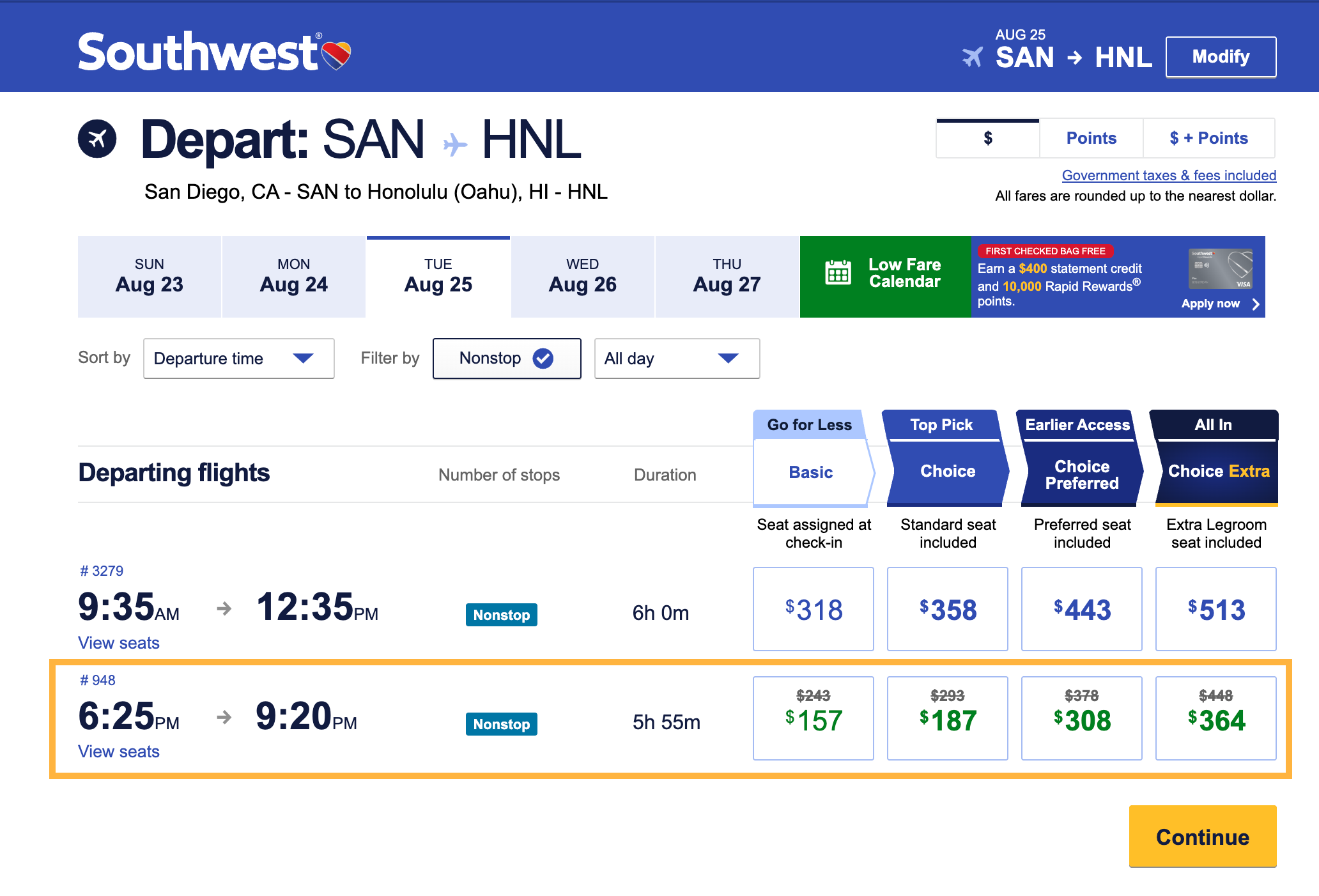
Go to Southwest.com, search your route, and leave the promo code box empty. The same sale prices show up. Click search without the code and you'll see the discounted flights either way. The code is mostly a marketing hook to get you to open the email and click through. The price is the price.
So if you ever miss the email, lose the code, or the code throws an error at checkout, you're not missing out. Search the route normally and the deal is still there.
The same sale fares now show up on Google Flights
This is the bigger unlock. Southwest fares now display on Google Flights, which wasn't true for years. Southwest used to keep its prices off Google Flights and off sites like Expedia, so you had to go straight to Southwest.com to see anything.
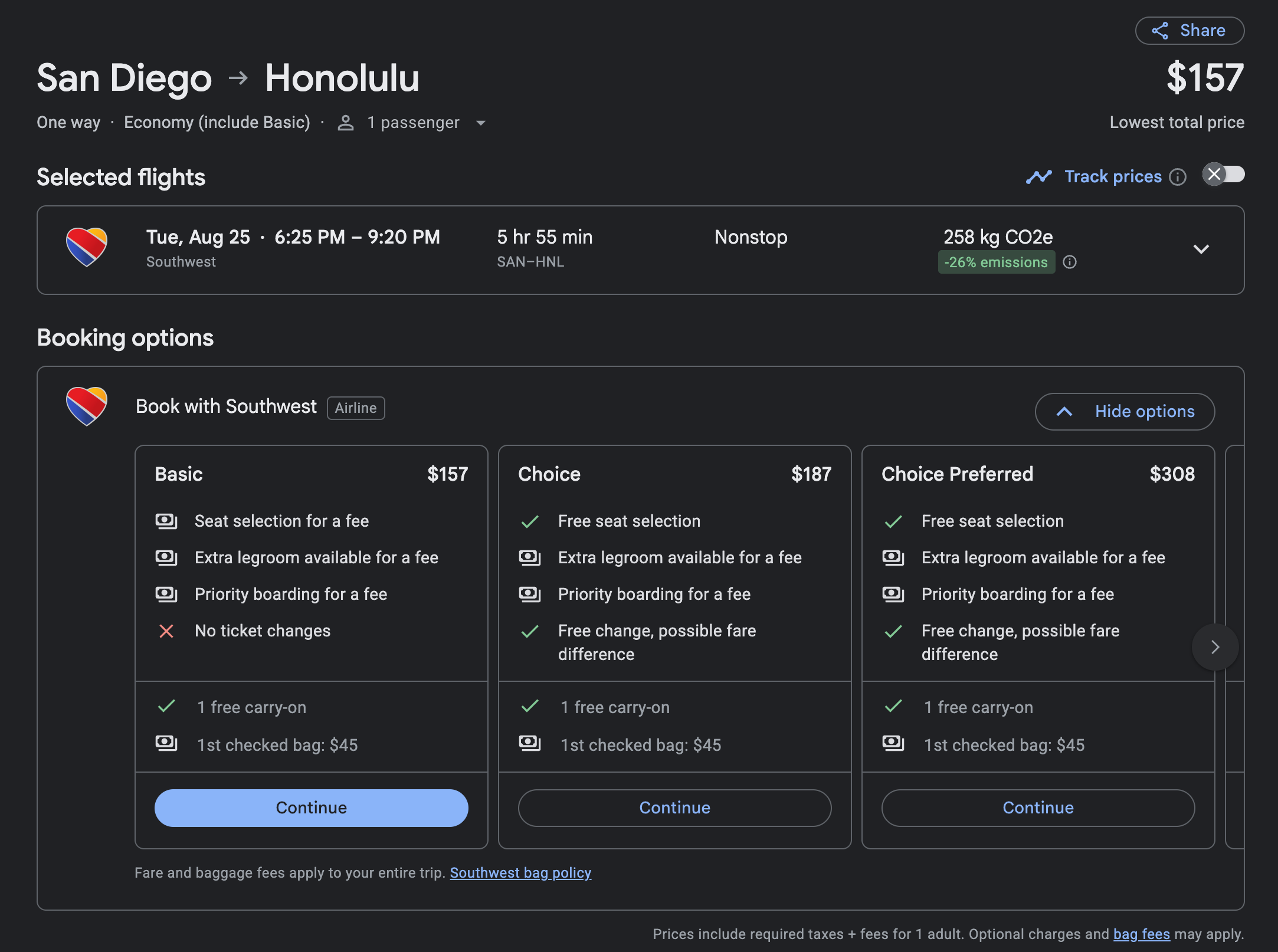
That changed. Now when you search a route on Google Flights, Southwest shows up right alongside everyone else. You still click through to Southwest.com to actually book, but you can see the price first without ever opening their site.
That means those discounted sale fares from the promo emails? They show up on Google Flights at the same price.
Why I check Google Flights first, every time
I use Google Flights more than any airline website, and it comes down to two things: comparison and context.
Comparison. Google Flights puts every airline on one screen. When Southwest emails me a sale fare, I don't just take their word that it's a good deal. I search the route on Google Flights and see what Southwest's "sale" price looks like next to United, Delta, Alaska, and everyone else flying that route. Sometimes the Southwest sale is the clear winner. Sometimes another airline is cheaper on the same day.
Context. Google Flights tells you whether a fare is priced low, typical, or high compared to what that route usually costs.
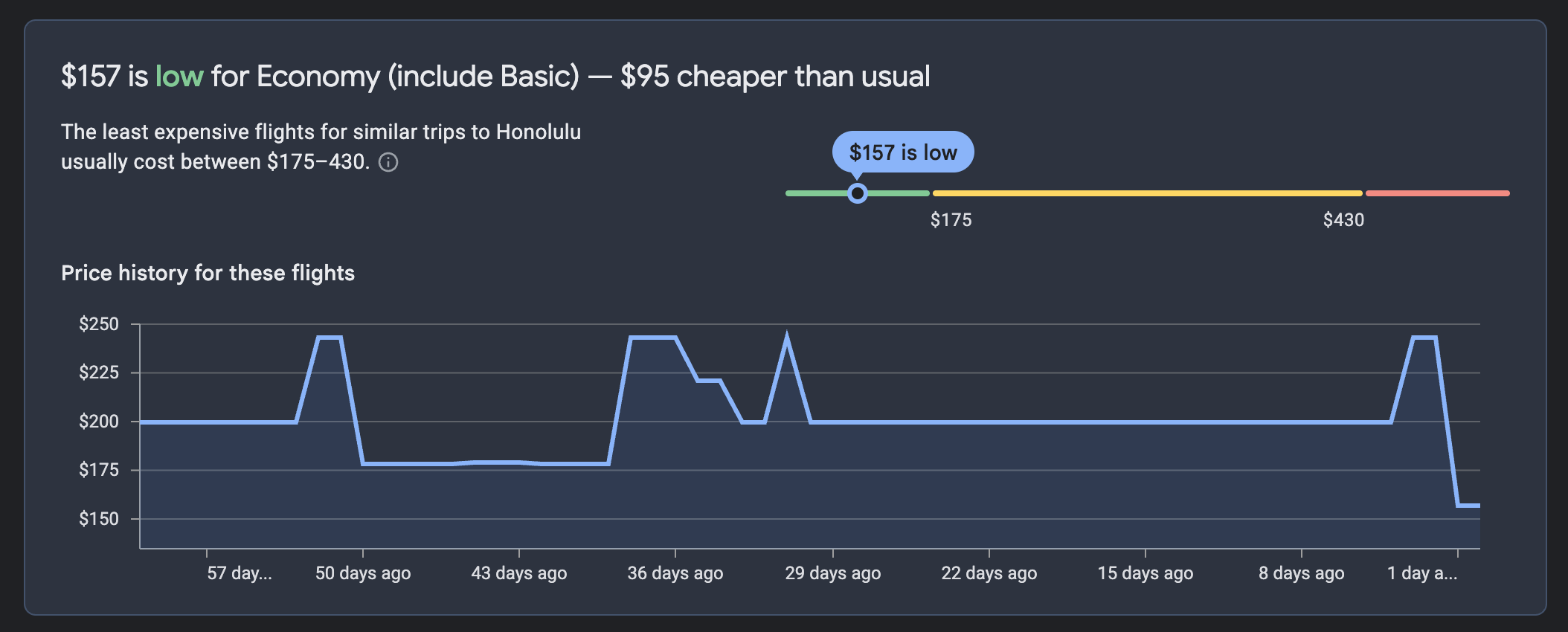
You can also set a price tracker on Google Flights, and it'll email you when a Southwest fare changes, which is a lot less noise than living in their promo inbox.
How to do it, start to finish
- Skip the promo code. When a Southwest sale hits your inbox, note the route, not the code.
- Search the route on Google Flights. Compare Southwest's price against every other airline on the same dates.
- Check the price insight. Low, typical, or high tells you if the "sale" is actually a deal.
- Track it if it's not low yet. Set a price alert and let Google email you instead of digging through promo emails.
- Book on Southwest.com. Once you've confirmed it's a good price, click through and book. No code needed.
Bottom line
Southwest's promo codes feel exclusive, but the sale prices are there whether you use the code or not. Search the route on Google Flights, check the price insight to make sure the "deal" is actually low and not just labeled a sale, compare it against the other airlines, and book direct on Southwest.com.
If you want more quick wins like this, the same kind of Google price tracking now works for individual hotels too. Subscribe to the newsletter and I'll keep sending the ones worth your time.