American Express just added a $300 ChatGPT credit to the Business Platinum and the Business Gold. On paper, it looks like the card is now paying for your ChatGPT subscription. In reality, the credit doesn't cover the full cost, and most people are going to end up paying $180 out of pocket without realizing it.
The good news is that there are two ways to actually use this credit and pay $0 a year. Both come down to one detail Amex isn't advertising: the credit resets every January 1st on the calendar year, not your card anniversary. Once you understand that, the strategies write themselves.
This post breaks down what the credit actually covers, the math most people miss, and the two strategies (the Flip-Flop and the Straddle) to get ChatGPT Business covered for the full year.
What the New Amex ChatGPT Credit Actually Is
Both the Amex Business Platinum and the Amex Business Gold now offer up to $300 a year in statement credits when you pay for a ChatGPT Business plan with the card. The credit posts as you use it, and it resets every calendar year on January 1.
This is not a card-anniversary credit. It's a January-to-December credit. If you sign up for ChatGPT Business in November, you have two months to burn the $300 before it disappears.
The Two Cards Eligible for the Credit
The Catch: $300 Doesn't Cover ChatGPT Business
Here is where it gets less generous than it looks.
The credit only works on the ChatGPT Business plan. That's the team plan, not the standard ChatGPT Plus subscription. The Business plan has a minimum of two seats, which puts the total annual cost at $480 a year.
So the math actually looks like this:
A lot of people are going to see "$300 ChatGPT credit" in the marketing and assume their ChatGPT subscription is covered. It isn't. You still owe $180 unless you set this up correctly.
The trick to getting that $180 down to zero is timing. And there are two ways to do it, depending on which cards you hold.
Strategy #1: The Flip-Flop (For People With Both Cards)
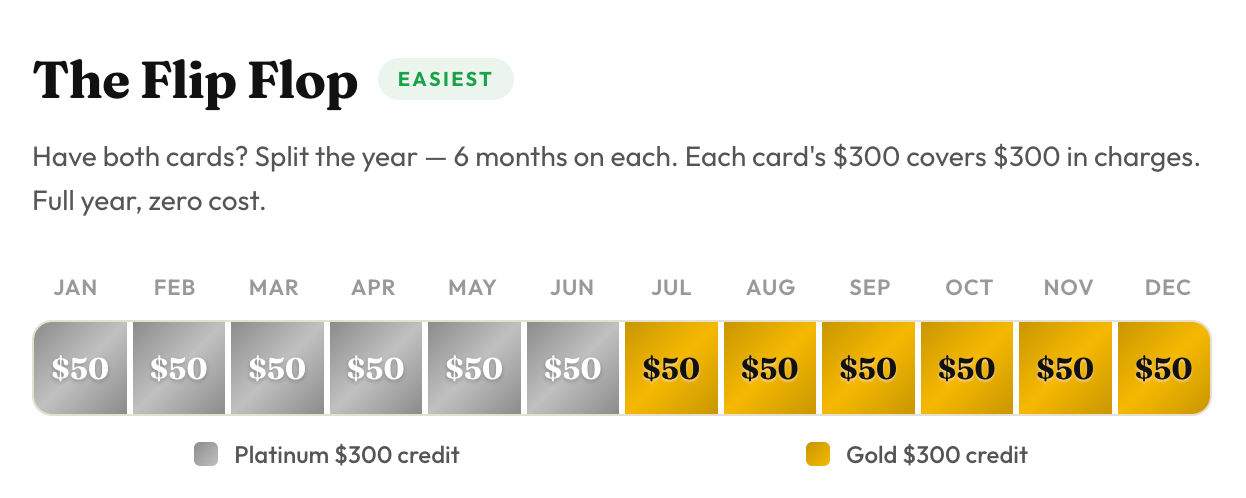
The Flip-Flop is the cleanest play. It requires you to hold both the Amex Business Platinum and the Amex Business Gold, because the strategy uses both $300 credits in the same calendar year.
Here's how it works:
- Pay for the ChatGPT Business plan monthly, not annually.
- From January through June, charge the monthly bill to the Amex Business Platinum. Six months at roughly $50 a month adds up to about $300.
- From July through December, switch the billing card to the Amex Business Gold. Another six months at $50 a month is another $300.
By the end of the year, you've used both cards' credits, you've paid $600 in total ChatGPT charges, and Amex has reimbursed every dollar of it. Out of pocket: $0.
Strategy #2: The Straddle (For People With Only One Card)
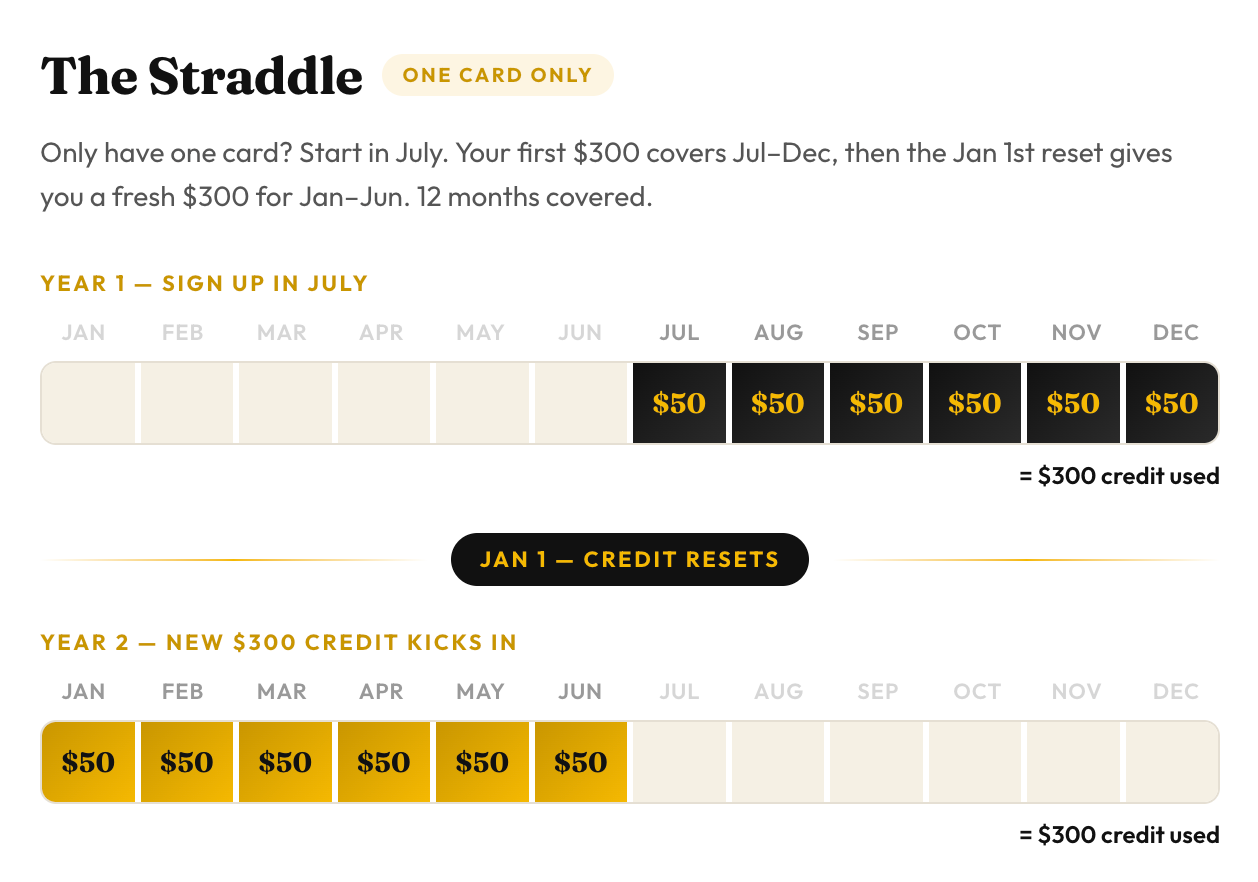
If you only hold the Business Platinum or the Business Gold (not both), you can still cover a full 12 months of ChatGPT Business for $0 by straddling two calendar years.
Here's the setup:
- Wait until July to sign up for ChatGPT Business.
- Pay for it monthly, starting in July.
- From July through December, your monthly charges total $300. Out of pocket so far: $0.
- On January 1, your $300 credit resets.
- From January through June of the next year, your monthly charges are another $300. Out of pocket: still $0.
That's 12 months of ChatGPT Business covered using a single $300 credit twice. The key is signing up in July (or later) so you don't waste the first half of the calendar year burning the credit before the reset.
What Happens After 12 Months
The Straddle gives you a clean year, but it ends. To keep going past 12 months at $0, you'd need to add the second business card and switch to the Flip-Flop from that point forward.
Why Monthly Billing Is the Key to Both Strategies
This is the part most people miss. Both the Flip-Flop and the Straddle only work if you pay ChatGPT Business monthly.
If you pay annually, the entire $480 hits your card on one day. The credit on that card caps at $300, so $180 of that charge isn't covered. You can't split an annual charge across two cards, and you can't split it across two calendar years.
Monthly billing is what lets you slice the cost into pieces small enough to fit inside the credit window. Switch to monthly the day you set this up.
Bottom Line
The new $300 Amex ChatGPT credit on the Business Platinum and Business Gold is great, but it doesn't fully cover ChatGPT Business on its own.
If used correctly, you can pay $0:
- Two cards: Flip-Flop. Six months of monthly charges on the Business Platinum, six months on the Business Gold. Both credits, same calendar year, full cost covered.
- One card: Straddle. Sign up for ChatGPT Business in July, pay monthly, ride one credit through December, and let the calendar reset on January 1 to pick up the next six months.
The whole strategy hinges on the fact that the credit is calendar-year, not card-anniversary.